ERP for groups of companiesERP for groups of companies

Umbrella AI —
approvals, money and people
across your group
in one portal

Requests are approved along set routes, not in messengers. Cash and margin for every legal entity — on one screen, without manual reports.

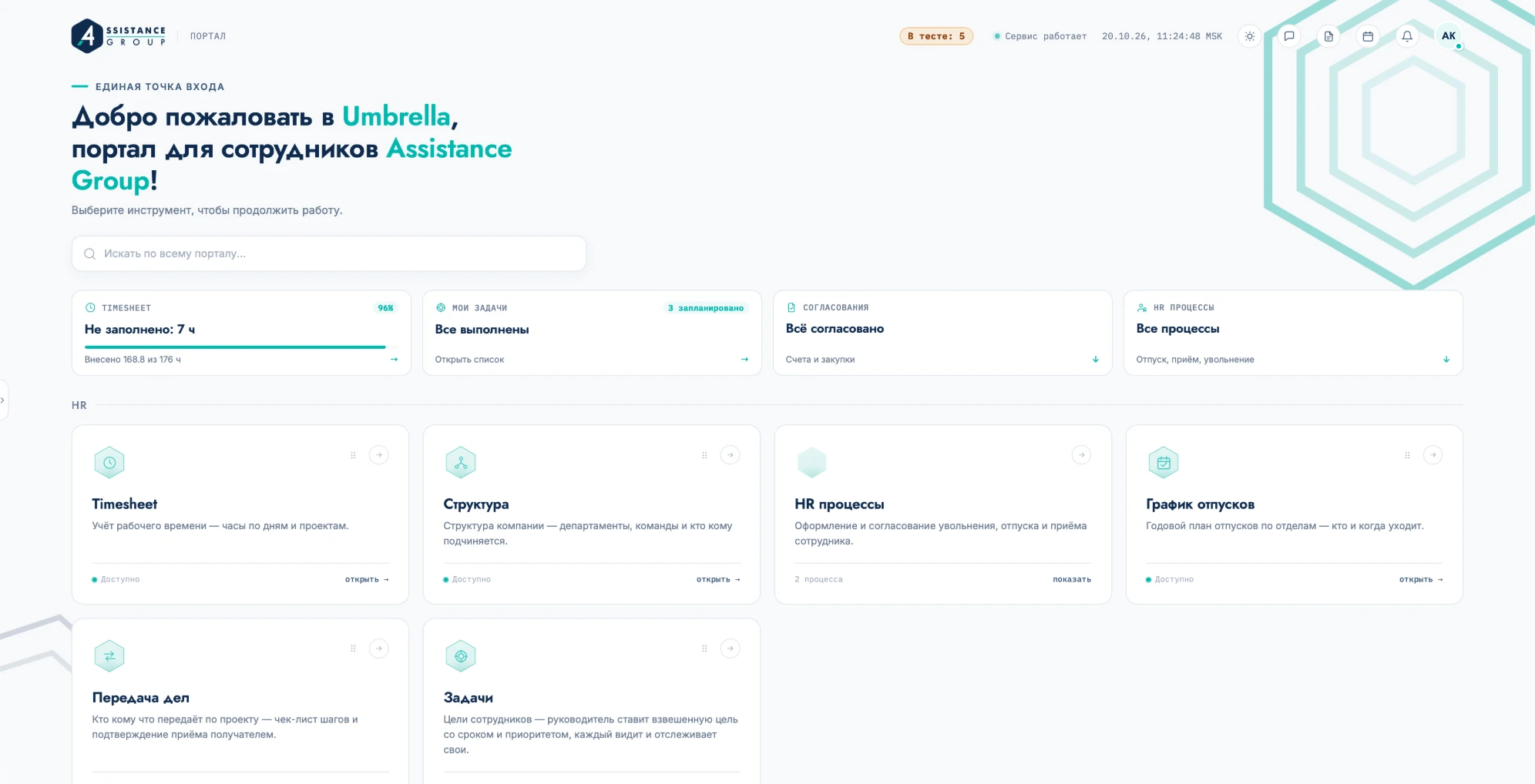
Umbrella portal home page: Timesheet, tasks, approvals and HR processes
Proven in practice

We built Umbrella AI for our own group of companies. Every new module is tested on us first.

01 — The problem

The company grows, and management
scatters across chats and spreadsheets

  1. 01

    Invoices are approved in messengers

    No one knows which step a request is at, who is holding it, or why the supplier is still waiting to be paid.

  2. 02

    Reports are compiled by hand

    To see cash and margin, finance merges department spreadsheets — and by report time the numbers are already out of date.

  3. 03

    Each legal entity has its own rules

    Company details, contracts and documents live in different places, and processes drift apart across the group.

  4. 04

    No single view of people

    Leave, hiring, tasks and hours sit in different services. It’s hard to tell who is doing what and what’s on fire.

Umbrella brings all of this into one system How we solve it
Product video

Umbrella AI in two minutes

Portal, finance, procurement, projects and support: what it looks like in action. The interface in the video is in Russian.

02 — How it works

Four flows —
all connected to each other

A manager approves an invoice — finance immediately sees the payment in the schedule, and the owner sees it in the project margin.

Finance

  • — payment requests
  • — client invoices
  • — accounts receivable
  • — closing documents

Processes

  • — approval routes
  • — purchasing and suppliers
  • — tasks and deadlines

People

  • — hiring and offboarding
  • — leave and Timesheet
  • — org structure

Data

  • — shared directories
  • — contracts and documents
  • — analytics for the owner
03 — Platform

Connect modules one by one —
the data is shared

Add modules as your processes are ready. They run on shared directories, so data never has to be moved or reconciled between systems.

Finance & accounting

Payment approvals, client invoices and expense reimbursement

  • Invoice payment approval requests
  • Invoice Tracker
  • Expense report

Procurement

Supplier registry with counterparty checks and purchase requests

  • Providers
  • Purchase / service request

HR & people

Company structure, time tracking and handovers

  • Employees
  • Timesheet
  • Handover

Projects

Every project in the group in one registry

  • Projects List

Management analytics

Dashboards: costs, taxes and loans across the group

  • Inner Costs
  • Taxes
  • Loans

Portal

One sign-in and one interface for every module

  • Sign in with Google
  • Notifications
  • Section search

Payment approvals, client invoices and expense reimbursement

  • Invoice payment approval requests
  • Invoice Tracker
  • Expense report

Supplier registry with counterparty checks and purchase requests

  • Providers
  • Purchase / service request

Company structure, time tracking and handovers

  • Employees
  • Timesheet
  • Handover

Every project in the group in one registry

  • Projects List

Dashboards: costs, taxes and loans across the group

  • Inner Costs
  • Taxes
  • Loans

One sign-in and one interface for every module

  • Sign in with Google
  • Notifications
  • Section search
All platform modules
04 — Finance & procurement

Every payment —
from request to closing documents

Every payment follows one path: purchase request, invoice, approval, payment and closing documents. You can see which step a request is at and who is holding it.

  • Approval routes by amount thresholds
  • The invoice is linked to the purchase request — you see what was bought and why
  • A queue of closing documents for supplier payments
  • Receivables and overdue clients on one screen
More about the finance module
05 — Projects

The real cost
of every
project

Employees log hours in Timesheet; the system converts them to money at each person’s hourly rate and shows project cost and margin — no Excel exports.

  • Hours by day and by project
  • Directory of employee hourly rates
  • Cost and margin of every project
  • Owner dashboard across all group projects
More about project accounting
06 — HR & tasks

See who’s doing
what —
and what’s on fire

Managers set goals with priority and deadline, and the employee report shows what was done on time and what was late.

  • Hiring, leave and offboarding requests along routes
  • Handover on offboarding: checklist and acceptance sign-off
  • Goals with weight, priority and deadline
  • Assignee report: on time and late
More about HR modules
07 — Who it’s for

Owner, CFO, HR —
everyone sees their own view

The owner sees the whole picture, finance sees the money, managers see deadlines, and employees see their own requests and tasks.

For groups of companies

Several legal entities —
one set of rules

Company details, contracts, employees and requests of every company in the group — in one system.

For the owner

Cash, margin and team workload across the whole group — without endless “send me the report” requests.

For the CFO

Payment requests in one queue, routes by amount thresholds, receivables and closing documents.

For department heads

Team tasks and deadlines, approval of employee requests and assignee reports.

For HR

Hiring, leave, offboarding and org structure — one process for every company in the group.

For lawyers

Contract drafting and review requests, template library, company details and litigation.

For employees

Requests, leave, tasks, calendar and Timesheet — without emails and chats.

We’ll show you how it would work for you

Request a demo
08 — AI
Coming soon · in development

An AI assistant
that answers questions
using your portal data

Ask in plain words — the assistant finds the answer in requests, invoices and tasks.

Be the first to know about the launch
09 — Implementation

Roll out module by module —
no process revolution

Start with the most painful area, such as payment approvals, and add the rest once the team is comfortable.

  1. Step 1. Process review

    We look at how payments, purchases and HR requests are approved today and choose the modules to start with.

  2. Step 2. Setup for your company

    We set up legal entities, org structure, directories and approval routes.

  3. Step 3. Data migration

    We import employees, suppliers, clients and projects, including from Excel.

  4. Step 4. Training and launch

    We train your employees and support the launch of the first modules.

First module launch from 4 weeks
Hosting Cloud or your own server
10 — Pricing

A fixed launch price —
everything else is optional

Support and custom development are purchased separately and at any time — not necessarily at the start.

Implementation · one-time
$2,150
4–6 weeksno “from”, no hourly billingup to 60 users
See pricing

We move your org structure, set up processes for your company, connect 1C, train administrators and managers — and support you for two weeks after launch.

  1. Org structureentities, people, roles
  2. Processesroutes and directories
  3. 1Cstandard integration
  4. Trainingtwo groups
  5. Launch2 weeks by your side

Scope and timing are set out in the contract. Setups with more than 60 users are calculated separately.

Connect. Control. Move.

See Umbrella AI
on your own processes
See Umbrella AI
on your own processes

We’ll pick the modules to start with and agree on a time for the demo.

Request a demo

Leave your contacts — we’ll agree on a time for the demo.

Request sent

We’ll get back to you within one business day to schedule the demo.
